Document Chunker
Quick Install
No extra dependencies needed - DocumentChunker is ready to roll right out of the box for plain text! 🚀
For structured document processing (PDFs, DOCX, EPUB, ODT, Excel, etc.), install the struct-doc extra:
This installs all the document processing dependencies needed to handle PDFs, DOCX, EPUB, ODT, Excel, and more! 📚
Taming Your Text and Documents with Precision
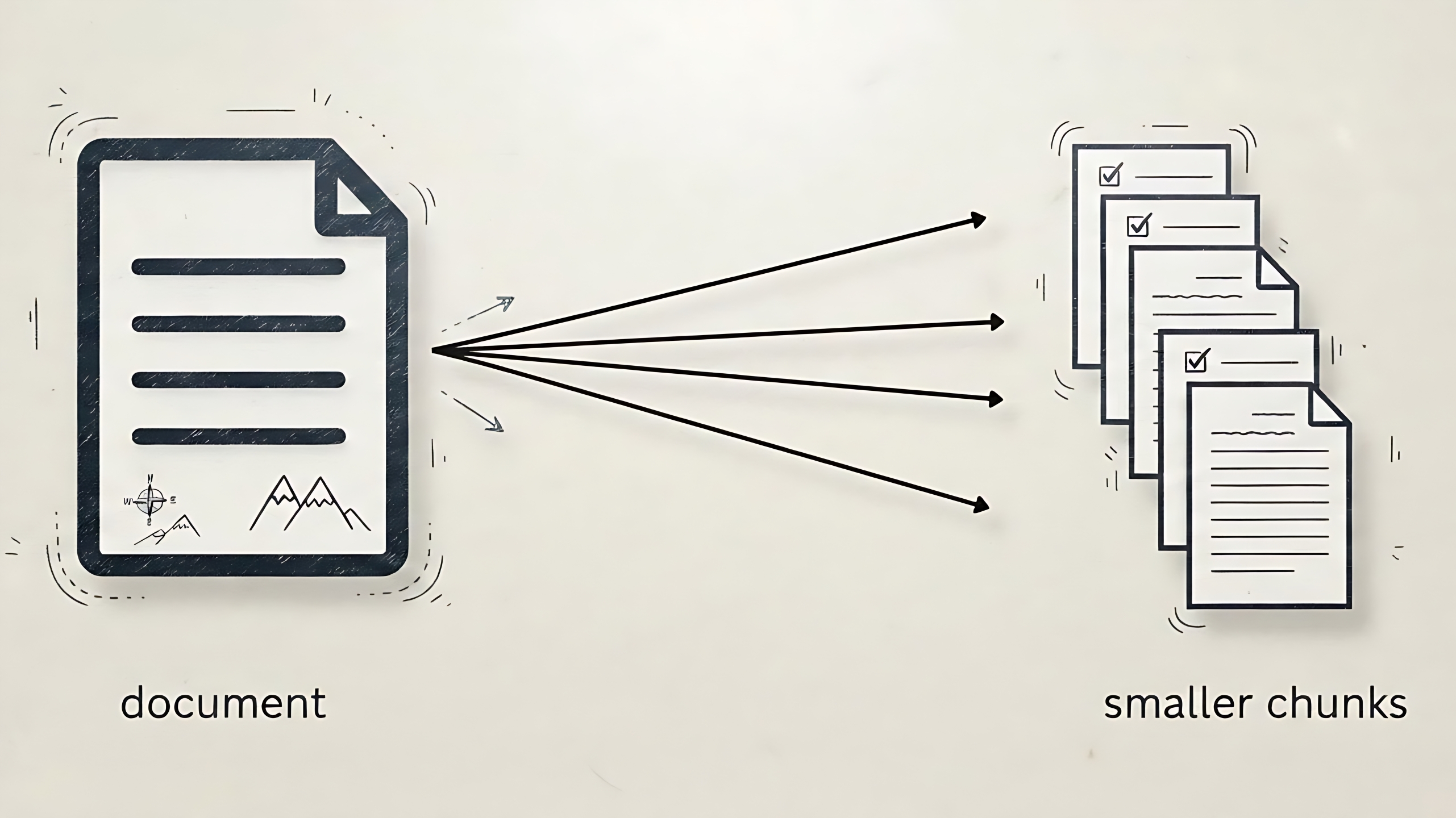
Got a wall of text that's overwhelming? The DocumentChunker transforms unruly paragraphs into sized, context-aware chunks. Perfect for RAG systems and document analysis.
It preserves meaning and flow, no confusing puzzle pieces.
Where DocumentChunker Really Shines! ⚡
The DocumentChunker comes loaded with features that make it your go-to text wrangling sidekick:
- Flexible Composable Constraints: Ultimate control over your chunks! Mix and match limits based on sentences, tokens, or section breaks (headings, horizontal rules,
<details>tags). Craft exactly the chunk size you need with precision control! - Intelligent Overlap: Adds smart overlaps between chunks so your text flows smoothly. No more jarring transitions that leave readers scratching their heads!
- Extensive Multilingual Support: Speaks over 60 languages fluently, thanks to our trusty sentence splitter. Global domination through better text chunking!
- Customizable Token Counting: Plug in your own token counter for perfect alignment with different LLMs. Because one size definitely doesn't fit all models!
- Memory-Conscious Operation: Handles massive documents efficiently by yielding chunks one at a time. Your RAM will thank you later!
- Multi-Format Maestro: From corporate DOCX boardrooms to academic PDF libraries, this chunker speaks every file language fluently! Handles
.pdf,.docx,.epub,.eml,.pptx,.txt,.tex,.html,.hml,.md,.rst,.rtf,.odt,.csv, and.xlsxfiles like a pro. - Metadata Magician: Not just text - it automatically enriches your chunks with valuable metadata. Your chunks come with bonus context!
- Bulk Processing Powerhouse: Got a mountain of documents to conquer? No problem! This powerhouse efficiently processes multiple documents in parallel.
- Pluggable Processor Power: Have a mysterious file format that's one-of-a-kind? Plug in your own custom processors -
DocumentChunkeris ready for any challenge you throw at it!
No Scanned PDF Support
Currently, DocumentChunker does not support scanned PDFs (images). It can only process PDFs with selectable/extractable text. For scanned documents, you'll need to OCR them first before chunking! 📷
Composable Constraints: Your Text, Your Rules!
DocumentChunker lets you call the shots with composable constraints. Mix and match limits to craft the perfect chunk size for your needs. Here's the constraint menu:
| Constraint | Value Requirement | Description |
|---|---|---|
max_sentences |
int >= 1 |
Sentence power mode! Tell us how many sentences per chunk, and we'll group them thoughtfully so your ideas flow like a well-written story. |
max_tokens |
int >= 12 |
Token budget watcher! We'll carefully pack sentences into chunks while respecting your token limits. If a sentence gets too chatty, we'll politely split it at clause boundaries. 🤐 |
max_section_breaks |
int >= 1 |
Structure superhero! Limits section breaks per chunk: headings (##), horizontal rules (---, ***, ___), and <details> tags. Your document structure stays intact! |
overlap_percent |
int 0-75 |
Repeat a bit of the previous chunk's tail for continuity. Defaults to 20. |
lang |
str |
Language code ('en', 'fr', ...) or 'auto'. Required. |
Auto language detection requires the [lang-detect] extra
When you use lang="auto", the chunker needs py3langid to detect the language of your text. This is not installed by default; install it with:
If you only need specific languages (e.g. lang="en"), the default install is enough.
Quick Note: Constraints Required!
You must specify at least one limit (max_sentences, max_tokens, or max_section_breaks) when constructing. Forget to add one? You'll get an InvalidInputError!
The DocumentChunker has four main methods: chunk_text, chunk_file, chunk_texts, and chunk_files. chunk_text and chunk_file return a list of DotDict objects, while chunk_texts and chunk_files are memory-friendly generators that yield chunks one by one. Each DotDict has content (the actual text) and metadata (all the juicy details). Check the Metadata guide for the full scoop!
Single: Chunk One Text! 🔤
Chunk a single string of text into manageable pieces using various constraints:
- chunk_text() - accepts raw text as a string
- chunk_file() - accepts a file path as a string or pathlib.Path object
Chunking by Sentences: Sentence Group Guru! 📝
Let's say you have this text:
# Introduction to Chunking

This is the first paragraph of our document. It discusses the importance of text segmentation for various NLP tasks, such as RAG systems and summarization. We aim to break down large documents into manageable, context-rich pieces.

## Why is Chunking Important?

Effective chunking helps in maintaining the semantic coherence of information. It ensures that each piece of text retains enough context to be meaningful on its own, which is crucial for downstream applications.

### Different Strategies

There are several strategies for chunking, including splitting by sentences, by a fixed number of tokens, or by structural elements like headings. Each method has its own advantages depending on the specific use case.

---

# Conclusion

In conclusion, mastering chunking is key to unlocking the full potential of your text data.
Now let's see how to chunk it:
- Initialize
DocumentChunker- no extra dependencies needed for plain text! lang="auto"lets us detect the language automatically. Super convenient, but specifying a known language likelang="en"can boost accuracy and speed.overlap_percent=0means no overlap between chunks. By default, we add 20% overlap to keep your text flowing smoothly across chunks.
Click to show output
--- Chunk 1 ---
Metadata: {'chunk_num': 1, 'span': (0, 60)}
Content: # Introduction to Chunking
This is the first paragraph of our document.

--- Chunk 2 ---
Metadata: {'chunk_num': 2, 'span': (73, 227)}
Content: It discusses the importance of text segmentation for various NLP tasks, such as RAG systems and summarization.
We aim to break down large documents into manageable, context-rich pieces.

--- Chunk 3 ---
Metadata: {'chunk_num': 3, 'span': (260, 353)}
Content: ## Why is Chunking Important?
Effective chunking helps in maintaining the semantic coherence of information.

--- Chunk 4 ---
Metadata: {'chunk_num': 4, 'span': (370, 528)}
Content: It ensures that each piece of text retains enough context to be meaningful on its own, which is crucial for downstream applications.

### Different Strategies

--- Chunk 5 ---
Metadata: {'chunk_num': 5, 'span': (530, 710)}
Content: There are several strategies for chunking, including splitting by sentences, by a fixed number of tokens, or by structural elements like headings.
Each method has its own advantages depending on the specific use case.

--- Chunk 6 ---
Metadata: {'chunk_num': 6, 'span': (749, 766)}
Content: ---

# Conclusion

--- Chunk 7 ---
Metadata: {'chunk_num': 7, 'span': (768, 859)}
Content: In conclusion, mastering chunking is key to unlocking the full potential of your text data.
Chunking by Section Breaks: Structure Superhero! 🦸♀️
This constraint is useful for documents structured with Markdown headings or thematic breaks.
Click to show output
--- Chunk 1 ---
Metadata: {'chunk_num': 1, 'span': (0, 414)}
Content: # Introduction to Chunking
This is the first paragraph of our document.
It discusses the importance of text segmentation for various NLP tasks, such as RAG systems and summarization.
We aim to break down large documents into manageable, context-rich pieces.

## Why is Chunking Important?
Effective chunking helps in maintaining the semantic coherence of information.
It ensures that each piece of text retains enough context to be meaningful on its own, which is crucial for downstream applications.

--- Chunk 2 ---
Metadata: {'chunk_num': 2, 'span': (370, 681)}
Content: It ensures that each piece of text retains enough context to be meaningful on its own,
which is crucial for downstream applications.

### Different Strategies
There are several strategies for chunking, including splitting by sentences, by a fixed number of tokens, or by structural elements like headings.
Each method has its own advantages depending on the specific use case.

---

--- Chunk 3 ---
Metadata: {'chunk_num': 3, 'span': (677, 822)}
Content: Each method has its own advantages depending on the specific use case.

---

# Conclusion
In conclusion, mastering chunking is key to unlocking the full potential of your text data.
Chunking by Tokens: Token Budget Master! 🪙
Token Counter Requirement
When using the max_tokens constraint, a token_counter function is essential. This function, which you provide, should accept a string and return an integer representing its token count. Failing to provide a token_counter will result in a MissingTokenCounterError.
Click to show output
--- Chunk 1 ---
Metadata: {'chunk_num': 1, 'span': (0, 237)}
Content: # Introduction to Chunking
This is the first paragraph of our document.
It discusses the importance of text segmentation for various NLP tasks, such as RAG systems and summarization.
We aim to break down large documents into manageable, context-rich pieces.

## Why is Chunking Important?

--- Chunk 2 ---
Metadata: {'chunk_num': 2, 'span': (260, 520)}
Content: ...
## Why is Chunking Important?

Effective chunking helps in maintaining the semantic coherence of information.
It ensures that each piece of text retains enough context to be meaningful on its own, which is crucial for downstream applications.

### Different Strategies
There are several strategies for chunking,

--- Chunk 3 ---
Metadata: {'chunk_num': 3, 'span': (530, 733)}
Content: There are several strategies for chunking,
including splitting by sentences, by a fixed number of tokens, or by structural elements like headings.
Each method has its own advantages depending on the specific use case.

---

# Conclusion
In conclusion,

--- Chunk 4 ---
Metadata: {'chunk_num': 4, 'span': (754, 841)}
Content: ...
# Conclusion
In conclusion,
mastering chunking is key to unlocking the full potential of your text data.
Overrides token_counter
You can also provide the token_counter directly to any chunking method. If provided in both the constructor and the method, the one in the method will be used.
Combining Multiple Constraints: Mix and Match Magic! 🎭
The real power of DocumentChunker comes from combining multiple constraints. The chunking will stop as soon as any of the limits is reached.
Customizing the Continuation Marker
You can customize the continuation marker, which is prepended to clauses that don't fit in the previous chunk. To do this, pass the continuation_marker parameter to the chunker's constructor.
If you don't want any continuation marker, you can set it to an empty string:
Enable Verbose Logging
To see detailed logging during the chunking process, you can set the verbose parameter to True when initializing the DocumentChunker:
Adding Base Metadata
You can pass a base_metadata dictionary to chunk_text and chunk_texts. This metadata will be included in each chunk. For example: chunker.chunk_text(..., base_metadata={"source": "my_document.txt"}). For more details, see the Metadata guide.
Single File: Process One Document! 📄
While chunk_text is perfect for plain text, chunk_file handles document files. It uses the same constraints (max_sentences, max_tokens, max_section_breaks, etc.) configured on the constructor.
Streaming vs. Regular Processors
Some processors work differently due to their streaming nature - they yield content page by page or in blocks rather than all at once. Both chunk_file and chunk_files handle them:
Streaming processors (PDF, EPUB, DOCX, ODT): These beauties process content as they go, yielding blocks page by page. chunk_file chunks a single one of these files by running them through the batch pipeline internally, so you can use either method without worrying about the streaming nature.
Regular processors work fine with both chunk_file and chunk_files methods.
Batch: Chunk Multiple Items! 📚
While chunk_text handles single texts and chunk_file single files, chunk_texts and chunk_files are for processing multiple texts or files in parallel. They use memory-friendly generators so you can work through large collections without loading everything at once.
chunk_texts()- process multiple raw text stringschunk_files()- process multiple file paths
For Texts
- Specifies the number of parallel processes to use for chunking. The default value is
None(use all available CPU cores). - Define how to handle errors during processing. If set to
"raise"(default), an exception will be raised immediately. If set to"break", the process will halt and partial result will be returned. If set to"ignore", errors will be silently ignored. - Display a progress bar during batch processing. The default value is
False.
Click to show output
--- Chunk 1 ---
Metadata: {'chunk_num': 1, 'span': (0, 79)}
Content: This is the first document.
It has multiple sentences for chunking.
Here is the second document.

--- Chunk 2 ---
Metadata: {'chunk_num': 1, 'span': (0, 69)}
Content: Este es el primer documento.
Contiene varias frases para la segmentación de texto.
For Files
Generator Cleanup
When using chunk_texts, it's crucial to ensure the generator is properly closed, especially if you don't iterate through all the chunks. This is necessary to release the underlying multiprocessing resources. The recommended way is to use a try...finally block to call close() on the generator. For more details, see the Troubleshooting guide.
Non-Deterministic Batch Ordering
When using chunk_texts or chunk_files with parallel processing (n_jobs > 1), chunks from different inputs are processed concurrently by multiple worker processes. The order in which chunks are yielded depends on which worker finishes first, which varies with system load and scheduling. So the overall ordering of chunks across inputs is not guaranteed to be stable between runs. The chunk_num field within each chunk's metadata still reflects the chunk's position within its source input.
When using the separator parameter, the separator-based grouping is deterministic even with parallel processing.
Separator: Keeping Your Batches Organized! 📋
The separator parameter works for both chunk_texts and chunk_files. It lets you add a custom marker that gets yielded after all chunks from a single input are processed. Super handy for batch processing when you want to clearly separate chunks from different source texts.
Quick Note
None won't work as a separator - you'll need something more substantial!
- Avoid processing the empty list at the end if stream ends with separator
Click to show output
--- Chunks for Document 1 ---
Content: This is the first document.
Metadata: {'chunk_num': 1, 'span': (0, 27)}
Content: It has two sentences.
Metadata: {'chunk_num': 2, 'span': (28, 49)}

--- Chunks for Document 2 ---
Content: This is the second document.
Metadata: {'chunk_num': 1, 'span': (0, 28)}
Content: It also has two sentences.
Metadata: {'chunk_num': 2, 'span': (29, 55)}
Custom processors: Build Your Own Document Wizards! 🛠️🔮
Want to handle exotic file formats that DocumentChunker doesn't know about? Create your own custom processors! This lets you add specialized processing for any file type and prioritize your custom processors over the built-in ones.
Custom processors live in a CustomProcessorRegistry instance that you create and own. Create a registry, register your processors on it, and pass it to a DocumentChunker via the processor_registry parameter. This gives you full control over scope, with no global side effects.
To use a custom processor, you leverage the @registry.register decorator. This decorator allows you to register your function for one or more file extensions directly. Your custom processor function must accept a single file_path parameter (str) and return a tuple[str | list[str], dict] containing extracted text (or list of texts for multi-section documents) and a metadata dictionary.
Custom Processor Rules
- Your function must accept exactly one required parameter (the file path)
- Optional parameters with defaults are totally fine
- File extensions must start with a dot (like
.json,.custom) - Lambda functions are not supported unless you provide a
nameparameter - The metadata dictionary will be merged with common metadata (chunk_num, span, source)
- For multi-section documents, return a list of strings - each will be processed as a separate section
- If an error occurs during the document processing (e.g., an issue with the custom processor function), a
CallbackErrorwill be raised
Click to show output
--- Chunk 1 ---
Content:
This is the first paragraph of our longer JSON sample.
It contains multiple sentences to test the chunking process.
The second paragraph introduces a new topic.
We are exploring the capabilities of custom processors in the chunklet library.
Finally, the third paragraph concludes our sample.

Metadata:
{'document_id': 'doc-12345', 'created_at': '2025-11-05', 'source': '/tmp/tmpdt6xa5rh.json', 'chunk_num': 1, 'span': (0, 242)}

--- Chunk 2 ---
Content:
... the third paragraph concludes our sample.
We hope this demonstrates the flexibility of the system in handling various data formats.

Metadata:
{'document_id': 'doc-12345', 'created_at': '2025-11-05', 'source': '/tmp/tmpdt6xa5rh.json', 'chunk_num': 2, 'span': (250, 361)}
Registering Without the Decorator
If you prefer not to use decorators, you can directly use the registry.register() method. This is particularly useful when registering processors dynamically.
Per-Instance Scope
Each DocumentChunker gets its own independent registry unless you pass one in. Create a new CustomProcessorRegistry() per logical group of processors to keep registrations isolated.
CustomProcessorRegistry Methods Summary
processors: Returns a shallow copy of the dictionary of registered processors.is_registered(ext: str): Checks if a processor is registered for the given file extension, returningTrueorFalse.register(callback: Callable[[str], ReturnType] | None = None, *exts: str, name: str | None = None): Registers a processor callback for one or more file extensions.unregister(*exts: str): Removes processor(s) from the registry.clear(): Clears all registered processors from the registry.extract_data(file_path: str, ext: str): Processes a file using a registered processor, returning the extracted data and the name of the processor used.
API Reference
For complete technical details on the DocumentChunker class, check out the API documentation.